Изборът на правилната ERP (Enterprise Resource Planning) система е стратегическо решение, което засяга финансите, операциите, човешките ресурси и управлението на клиентите. Грешният избор може да спре растежа; правилният се превръща в конкурентно предимство. Ето практично ръководство как да изберете ERP система в десет стъпки.
1. Разберете какво е ERP и защо е важно
ERP софтуерът централизира ключовите процеси в една платформа - финансово управление, човешки ресурси, доставки, производство и CRM. Централизацията дава информация в реално време, намалява неефективността и подпомага решенията, базирани на данни. За растящите бизнеси ERP системата е основа, а не просто софтуер (нови сте по темата? започнете с какво е ERP и как помагат облачните технологии).
2. Оценете нуждите на бизнеса си
Преди да оценявате решения, идентифицирайте:
- Тесни места и ръчни процеси
- Изолирани данни между отделите
- Пропуски в отчетността и рискове за съответствие
Включете заинтересовани лица от всички релевантни отдели, за да осигурите цялостна перспектива.
3. Определете бюджет

Разходите за ERP надхвърлят лицензите. Отчетете внедряването, миграцията на данни, обучението, поддръжката и актуализациите. Ясно дефинираната обща цена на притежание (TCO) обвързва инвестицията в ERP с вашата стратегия за растеж.
4. Изберете правилния модел на внедряване
ERP може да се внедри локално, в облака или хибридно. Всеки модел има предимства:
- Локално: пълен контрол, по-висок първоначален разход
- Облак: мащабируемост, по-бързо внедряване, по-малко инфраструктура
- Хибридно: съчетава контрол с гъвкавост
Изберете модела, който отговаря на техническия ви капацитет и дългосрочни цели. Ако обмисляте облачния вариант, вижте защо бизнесът не може без облачни услуги.
5. Осигурете мащабируемост и адаптивност
Вашата ERP система трябва да расте заедно с бизнеса. Проверете дали поема повече потребители, по-големи обеми данни и развиващи се процеси. Системите, които позволяват конфигуриране вместо тежко персонализиране, намаляват проблемите при бъдещи обновявания.
6. Проучете доставчиците и техните решения
Не всяко ERP решение е подходящо за всеки бизнес. Преценете:
- Доказан опит в бранша и референции
- Интеграция със съществуващи инструменти и системи - включително CRM
- Качество на поддръжката
- Дългосрочна продуктова пътна карта
Сред популярните платформи са SAP ERP, Microsoft Dynamics 365, Oracle NetSuite, Odoo и Infor.
7. Тествайте чрез демонстрации и пробни версии
Поискайте демонстрации или пробен достъп, за да тествате използваемостта и функциите. Фокусирайте се върху реални сценарии, обратна връзка от екипа и цялостното потребителско изживяване. Възприемането от хората е ключът към успеха на ERP.
8. Разработете структуриран план за внедряване
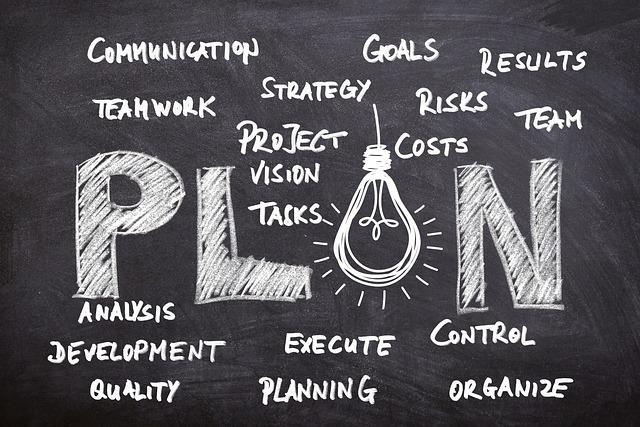
Внедряването на ERP е проект по управление на промяната. Силният план включва отговорник за проекта, срокове, миграция на данни и обучение на служителите. Доброто планиране гарантира, че системата се използва ефективно от първия ден. Поетапното въвеждане - модул по модул, след първия - намалява риска.
9. Наблюдавайте, измервайте и оптимизирайте
След внедряването следете представянето и обратната връзка от потребителите. Прецизирайте процесите и използвайте новите функции. ERP носи стойност постепенно, затова постоянната оптимизация е от съществено значение.
10. Партнирайте с експерти като ПЛАНА Сълюшънс
Изборът и внедряването на ERP е сложен процес. ПЛАНА Сълюшънс помага на компаниите да:
- Дефинират изискванията обективно
- Изберат най-подходящата платформа
- Внедрят ефективно и сигурно
- Оптимизират процесите след старта
Работата с експерти гарантира, че инвестицията ви в ERP носи осезаеми резултати.
Често задавани въпроси
Зависи от обхвата и размера на компанията. Фокусиран старт с един модул може да заработи за няколко седмици, докато пълно внедряване в няколко отдела отнема няколко месеца. Поетапният подход носи стойност по-рано и намалява риска.
Освен лицензите, заложете внедряване, миграция на данни, обучение, поддръжка и актуализации - общата цена на притежание (TCO). Облачният ERP намалява първоначалния разход, защото отпада нуждата от собствена инфраструктура.
Най-подходящ е мащабируем облачен ERP, с който да започнете малко и да разширявате модул по модул. Дайте приоритет на лесната употреба, интеграциите и доставчик с ясна пътна карта пред броя функции.
Облачният ERP се внедрява по-бързо, мащабира се лесно и изисква по-малко начална инвестиция; локалният дава пълен контрол при по-висок разход. Повечето растящи бизнеси избират облачен или хибриден модел.
Нашите специалисти ви помагат да дефинирате изискванията, да изберете правилната платформа и да я внедрите успешно.
Свържете се с нас Заявете демо